 lanowl
The AI network monitor · free and self‑hosted
Your monitor says it's down. lanowl tells you why.
lanowl watches every device on your network, every minute. When something breaks, a local AI model looks into it the way you would (its history, its neighbours, the router, the logs) and writes the cause into the alert. Nothing changes until you press a button.
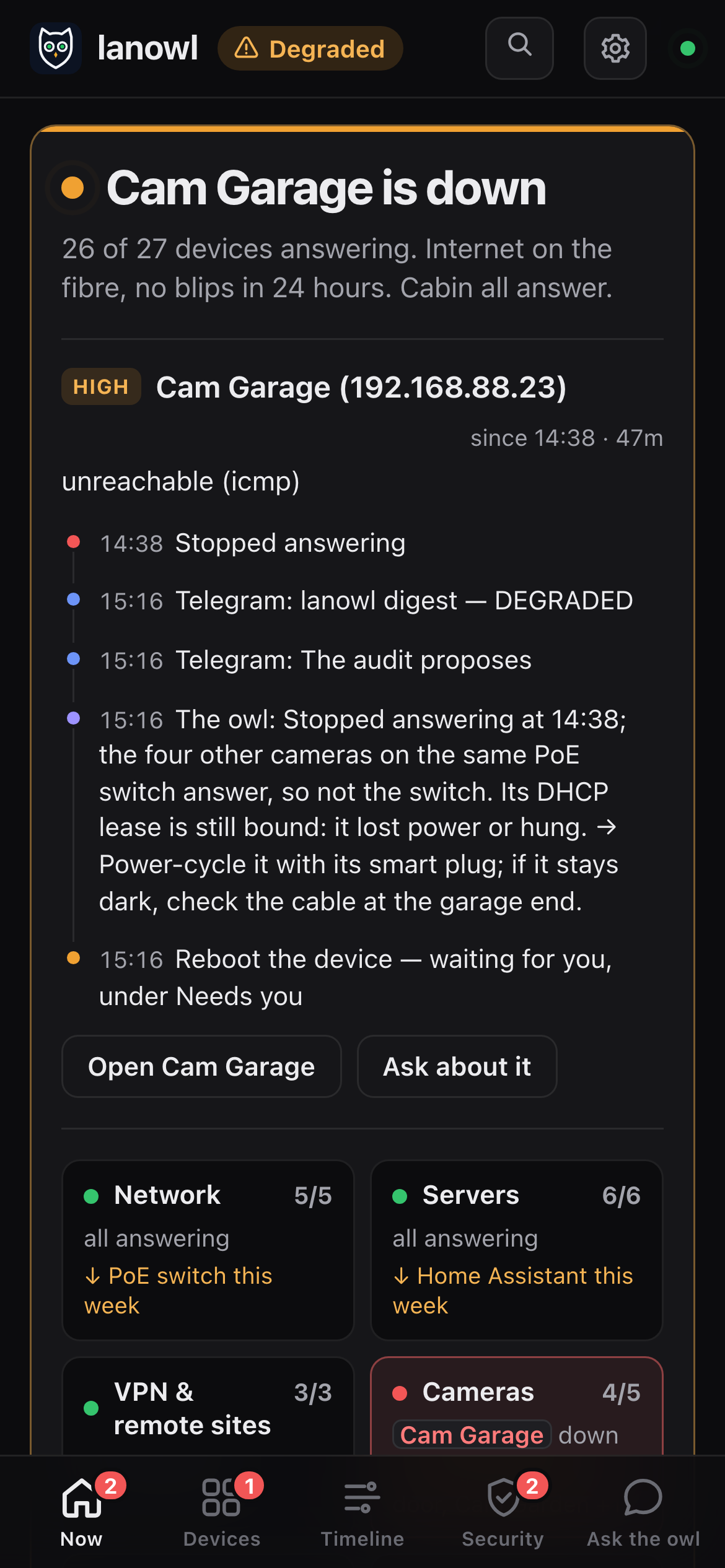
Why, not just down
“Down” is where other monitors stop. It is where lanowl starts.
A ping monitor tells you Home Assistant is down at 07:13. Then you get up, open a laptop and start looking: the update history, the logs, whether anything else dropped with it. lanowl does that part, and puts the answer in the message you already have.
Other monitors
whatAnd the rest is up to you.
lanowl
what, and whyThe diagnosis is written into the alert itself, so it never wakes you twice.
The dashboard
Its own dashboard. Served by lanowl itself.
No cloud and no CDN: the page comes from lanowl on your network, so it still works when the internet is down.
Now, Devices, Timeline, Security and Ask the owl, on the demo house. A minute, looping.
What it does
Besides the why, it looks after the whole network.
Watching, finding new devices, security checks, updates, reboots, backups and troubleshooting, in one install. What it does with each device is ticked device by device, and nothing that changes one runs without your button.
Watches every device
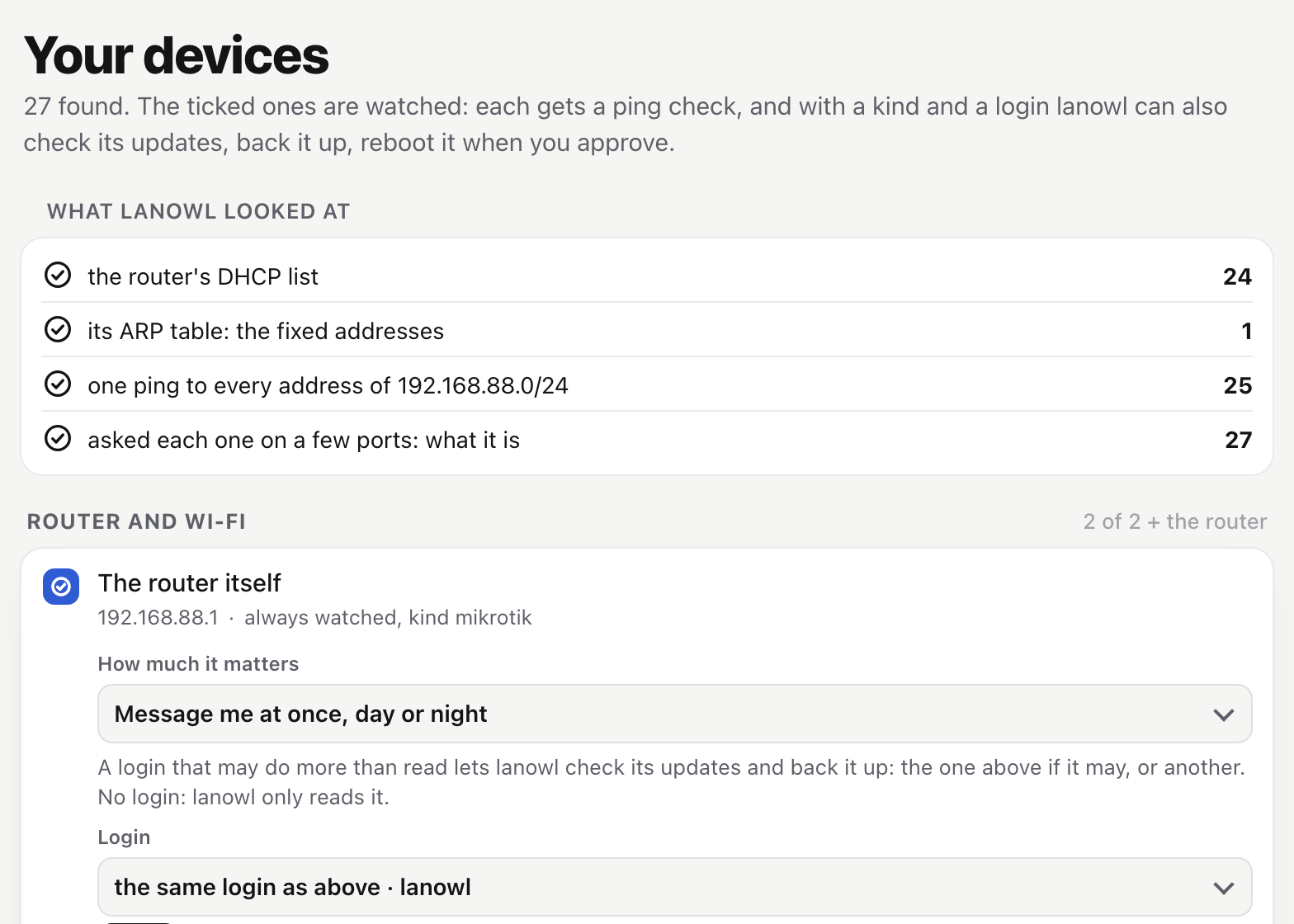
- Ping, TCP, HTTP and SNMP every minute; the router's ARP table and a port's link for gear that ignores ping.
- A dead switch is one message, not twelve, and one more when it is over.
- Solar gear asleep at night never pages; a device off for a holiday is paused, not down.
- What is slowly getting worse, from a week of numbers, and a weekly review.
The internet, properly
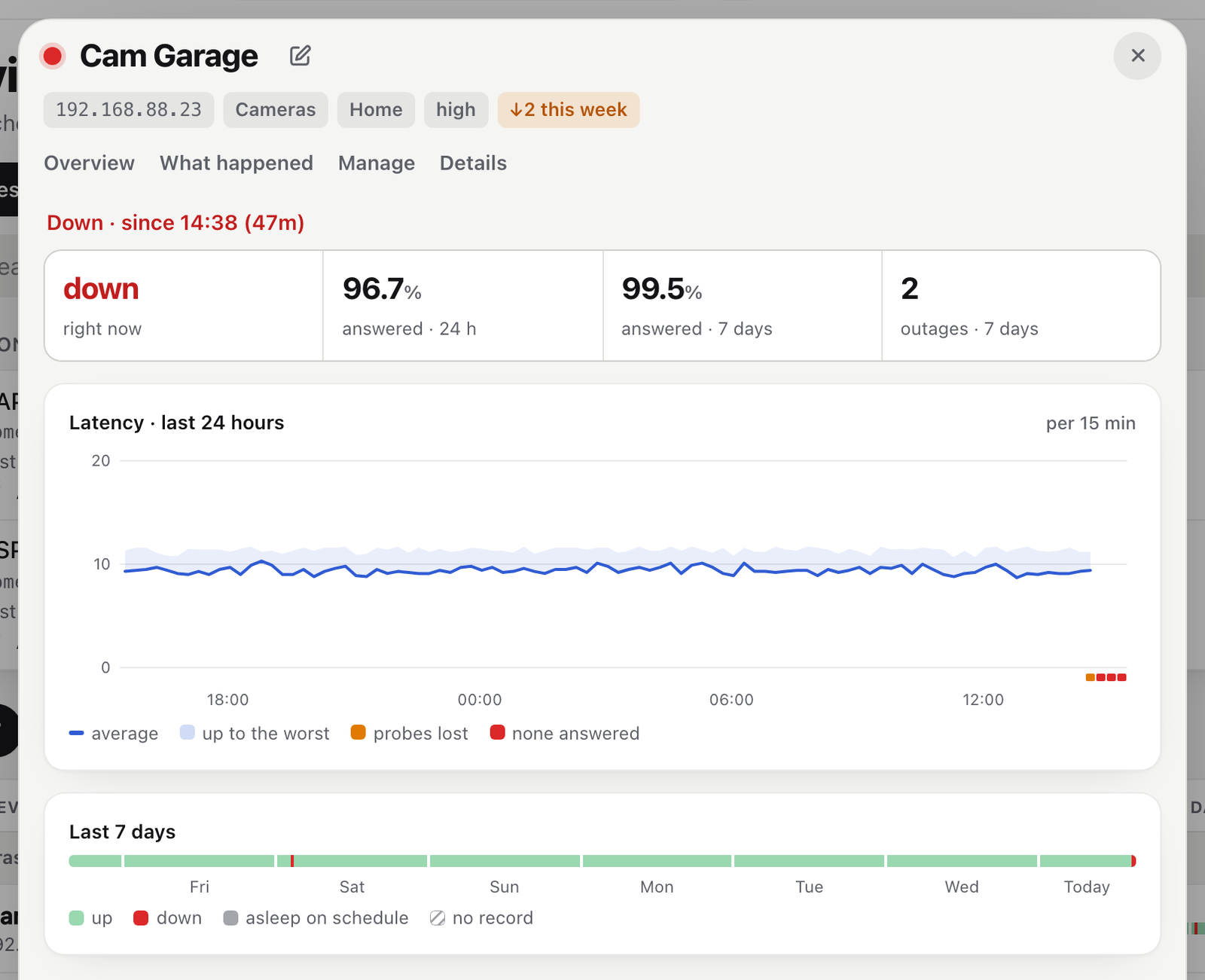
- A 15-second loop, the router's log and its routes: ok, on backup, or down. A failover is not "no internet".
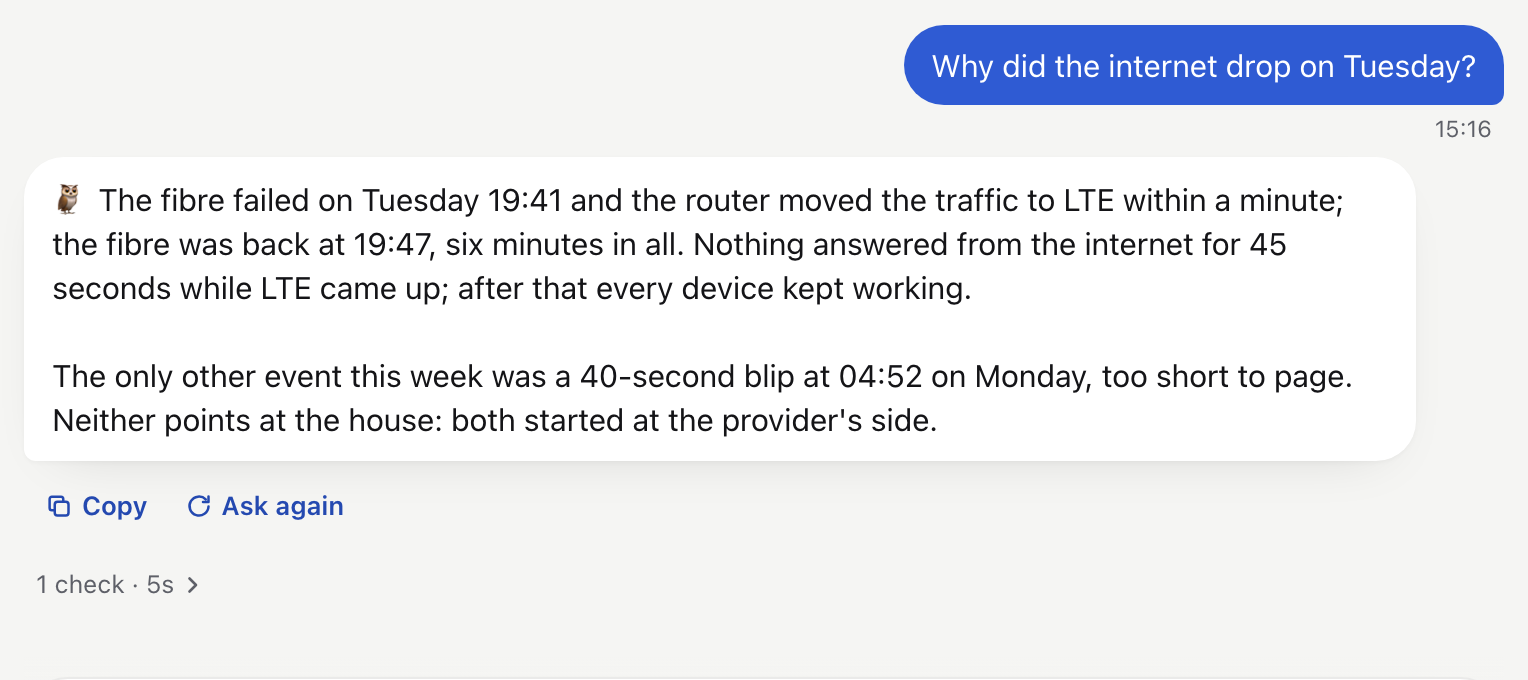
- Every blip is kept with its evidence, so "where did it break?" has an answer: your line, the provider, or lanowl's own view.
- With no internet, messages wait and go out with the real times in them.
- A speed test of your line, or a remote site's, when you ask.
Finds every device
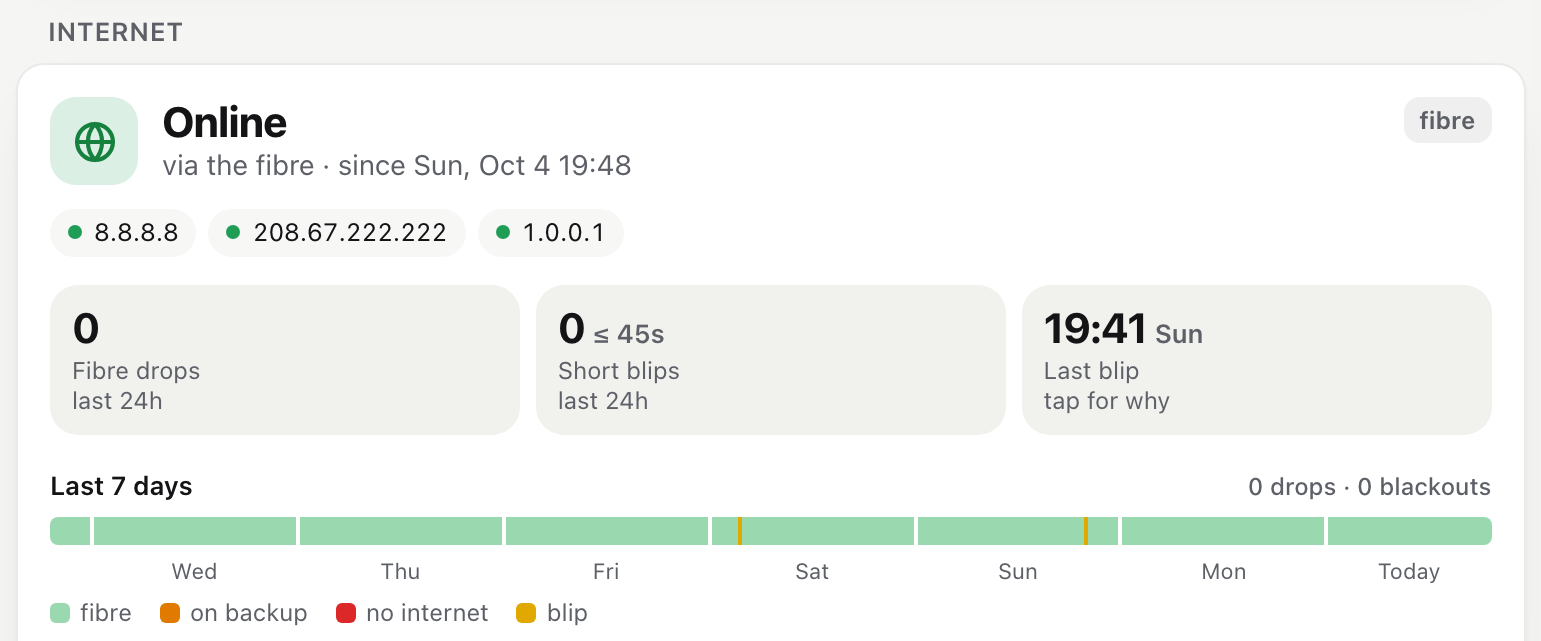
- One message when a new device joins: its name, MAC and maker, by DHCP or with a fixed address.
- The router's DHCP leases and ARP table, and a monthly "who is there" for the silent ones.
- A device DHCP moved to another address is followed by its MAC.
- Watch it or mark it Known with one button. On remote sites too.
Security checks
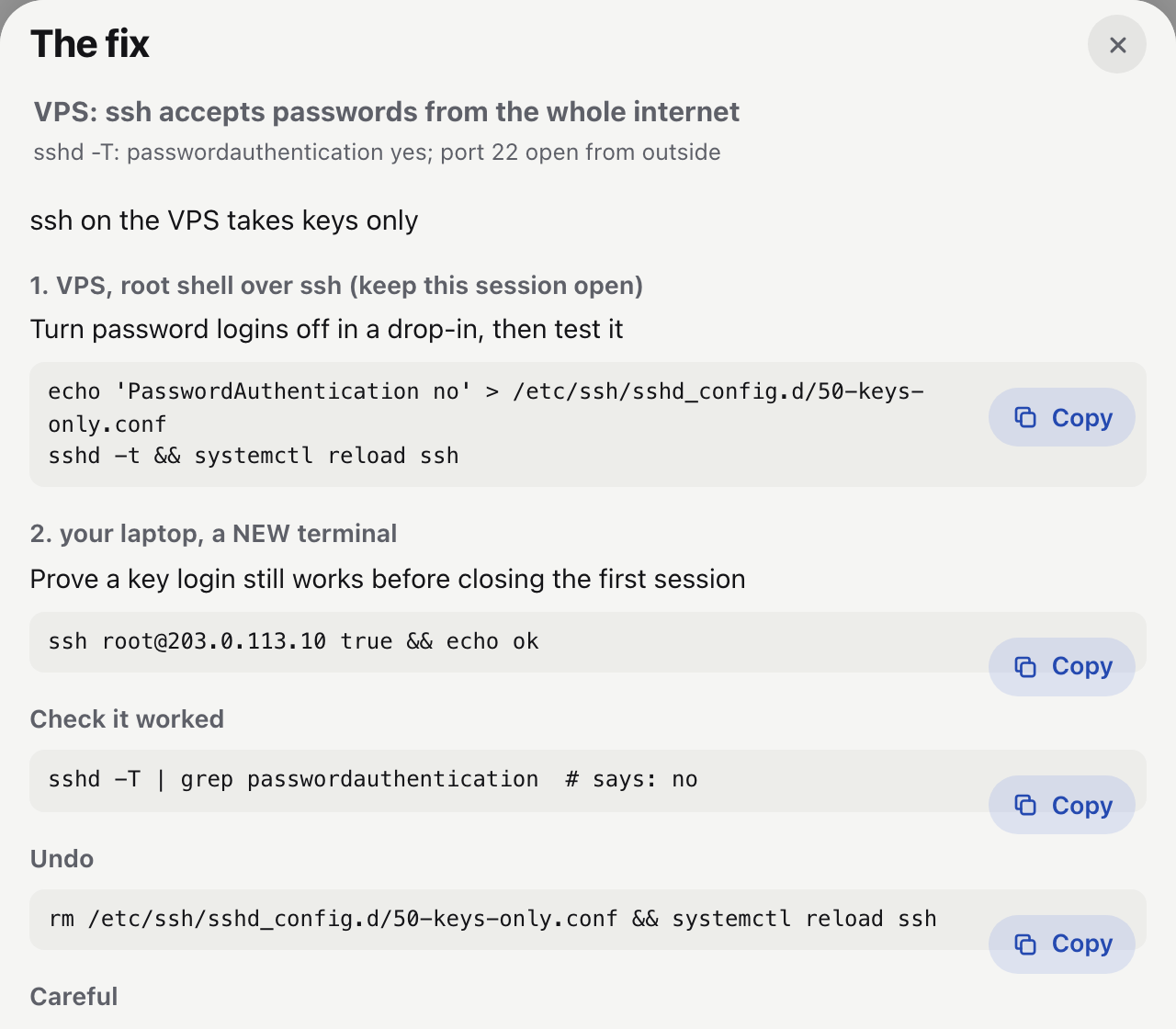
- Every morning: who may log in, what listens, the firewall, management services, UPnP, firmware out of support, and a look from outside.
- A written fix for each finding, for that machine, with how to check it and how to undo it.
- Auth logs every two minutes: a burst of failed logins or a login from a stranger is an alert at once.
- What changed since yesterday, and a monthly CVE scan that pages only the ones that really apply.
Updates, reboots, backups
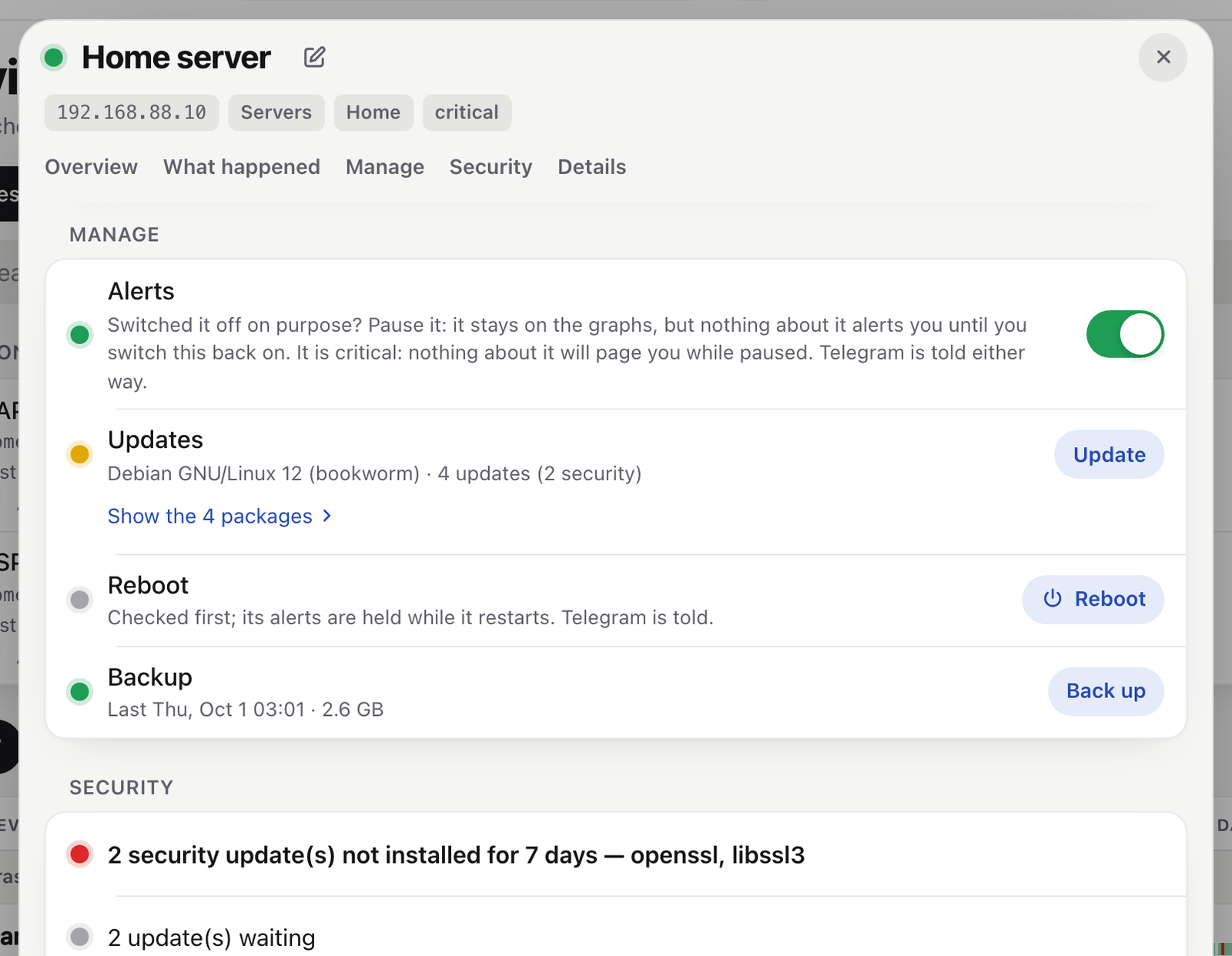
- Updates checked every morning: apt, RouterOS, Home Assistant and its add-ons, ESXi, OpenWrt, UniFi.
- Install, reboot or restart a service with a button. A smart plug reboots anything.
- Backups monthly and before every update, onto a disk of yours: MikroTik, Home Assistant, Linux, ESXi, Shelly.
- lanowl backs itself up every day.
Troubleshooting
- Every incident looked into, and the cause written into the alert.
- Ask anything on Telegram or the dashboard. It remembers what you tell it.
- 42 diagnostics, from lanowl, the router, another LAN host, your VPS or a remote site: mtr, DNS, TLS, packet headers, which device is using the bandwidth.
- A sandboxed shell, with no keys in it, when a hunch needs one.
Any other kind is a YAML profile: a command per operation, never code. What each kind can do.
How it finds out
It looks where you would look. Before you have to.
- The device's own history: when it stopped, how often it drops, how it compares with its week.
- Its neighbours: what else went dark at the same minute, on the same switch, behind the same tunnel.
- The router: its DHCP leases, its ARP table, a port's link, its log around the moment.
- The machine's own log, and what you or lanowl ran on it.
- The internet's evidence: whether it broke at your line, at the provider, or in lanowl's own view.
- Diagnostics when it needs them: mtr, DNS, TLS, a scan, a check from the router or your VPS.
“Stopped answering at 17:03; the four other cameras on the same PoE switch answer, so not the switch. Its DHCP lease is still bound: it lost power or hung.”The owl on the garage camera, from the demo house
It runs on Ollama, on a machine of yours, with read-only tools. It never sees a password, and an address outside your inventory is refused.
One cause, one message
At 02:14 the camera switch restarts. You get one message.
Five cameras go dark with the PoE switch they hang off. A monitor that pings each device sends six alarms in the middle of the night and six more when they come back. lanowl sees one cause, sends one alert with the owl's reading of it, and one line when it is over.
A per-device ping monitor
12 messageslanowl
2 messagesThe recovery waits for fifteen calm minutes, so a device that drops twice is one incident, not four messages.
It asks first
When it knows why, it proposes a fix. You decide.
Other AI agents fix things on their own, with root on your machines. lanowl proposes one action from a fixed list, checks it against the device first, and waits for your button. The model never writes a command.
Home Assistant: button.press button.garage_cam_plug_restart
Why (model): dark since 17:03 while the other four cameras answer; its plug can power-cycle it
Checked: through Home Assistant's button.garage_cam_plug_restart
⏳ Waiting for you until 17:56 · approving runs it17:41✅ Approve✖️ RejectWhat it can propose
A fixed catalog, filled in by the model and checked against the device before you see it, and again when you approve.
What it refuses
A device outside your inventory, lanowl's own machine, a Shelly whose relay would come back off, the backup line's router while the internet runs through it, a fourth proposal while three wait for you.
It keeps score
A diagnosis can be wrong. lanowl tells you how often.
Once a problem is over, every cause the owl named is checked again with hindsight and the evidence. Your own verdict, one tap on the dashboard, beats its grade. Its record is on the dashboard and in every weekly review, so you know how far to trust it.
How it works
Detection is code. The model explains.
Watch
Every minute: ping, TCP, HTTP, SNMP, the router's ARP table, a switch port's link. The internet has its own 15-second loop.
lanowlDecide
Two misses in a row before anything is down. A dead switch is one incident. A solar inverter asleep at night is not an outage.
lanowlFind out why
The owl investigates with read-only tools and writes its diagnosis into the alert.
the owlYou decide
A fix is a proposal with a button, checked again when you press it.
you
Switch the owl off and nothing goes quiet. Detection, alerts, digests and the dashboard never wait for the model.
Safety
Read-only unless you press a button.
A tool that watches your network gets close to everything on it. lanowl is built so that being close is all it can do on its own.
- A fixed catalog of actions. Validated against the inventory, the limits and the device itself before you are asked, and again when you approve.
- The model never sees a password. Logins reach ssh through SSH_ASKPASS, never a command line, a log line or a message.
- Its shell is a sandbox. A container beside lanowl with no key, no config and no state. Its walls are proven before the tool is offered, and every morning.
- Secrets in one file. Mode 600, mounted read-only.
lanowl --checksays where each one comes from, never its value. - A dashboard another page cannot drive. It accepts only JSON requests and IP-address host names.
- Shadow mode first. Actions start off. In shadow mode lanowl records what it would have run, so you can watch its judgement before it can act.
Getting started
Three commands. Then the page sets it up.
No file to copy or edit. At its first start lanowl writes its own files, and the dashboard walks you through the rest, in about ten minutes.
$ git clone https://github.com/alessandromatera/lanowl && cd lanowl
$ docker compose -f docker/compose.yaml up -d
$ docker exec lanowl lanowl --setup-code         # then open http://<this host>:8088/
The setup code
The page asks for the code the last command printed, then a password of yours. Only its hash is kept.
Your router
Its address is found for you, and a read-only user is enough: the page gives the two lines that make one on a MikroTik. Try the router logs in and counts its DHCP list.
Find my devices
Its DHCP list, its ARP table, one ping to every address and a few ports on each: what each device is, and why lanowl thinks so. Half a minute, and nothing is changed.
Logins
Tick what to watch. Give a login to what lanowl may update, back up or reboot: Try asks the device and quotes its answer.
Telegram
A bot from @BotFather, its token, then /start from your phone. Optional: the dashboard works without it.
Write
What it will do, and every change to the three files, checked first. Then it restarts and watches.
Then Settings → The model wakes the owl with the address of your Ollama. On Linux, allow unprivileged ping first. Rather write the files yourself, or have an AI assistant write them? The Quick start covers both.
Questions
Before you install it.
Is it really free?
Yes. lanowl is open source under the AGPL-3.0 license. There is no paid tier, no account and no telemetry, and the project has no servers to send anything to.
Do I need a GPU?
No. Without a model, everything except the owl's words works: detection, alerts, digests, the dashboard. For the owl, any Ollama model with tool calling; a 27–35B model on a machine with 32–64 GB of memory is comfortable.
Can the owl be wrong?
Yes, and lanowl is built for it. Detection never depends on the model, nothing changes without your button, and every diagnosis is graded once the problem is over, so you can see how often it was right.
Do I need a MikroTik router?
No. With a MikroTik, lanowl also reads its DHCP leases, routes, ARP table and log, and tells a failover from an outage. With any other router, everything else works.
Is it a Home Assistant add-on?
No, on purpose: lanowl watches Home Assistant too, so it must not go down with it. It runs beside it and publishes its results to MQTT. Discovery into Home Assistant is on the roadmap.
Is it ready?
It is pre-alpha. lanowl comes out of a monitor that has looked after a real home network since August 2026, with MikroTik, OpenWrt, Linux servers, Shellies, cameras, a VPS and two remote sites. Expect rough edges, and tell us about them.
Free, and staying that way.
If lanowl would help look after your network, a star on GitHub helps other people find it.